


CLICK FOR STEP BY STEP INSTRUCTIONS
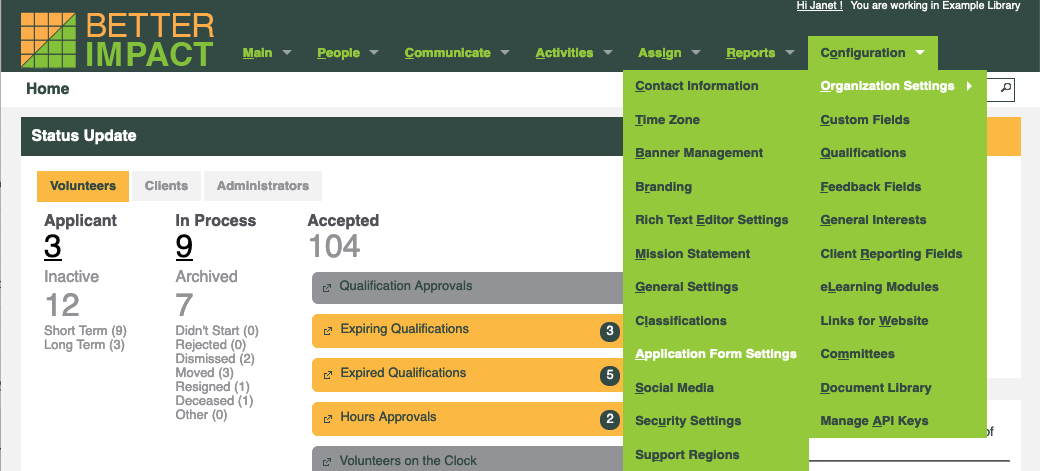
- Go to: Configuration >> Organization Settings >> Application Form Settings.
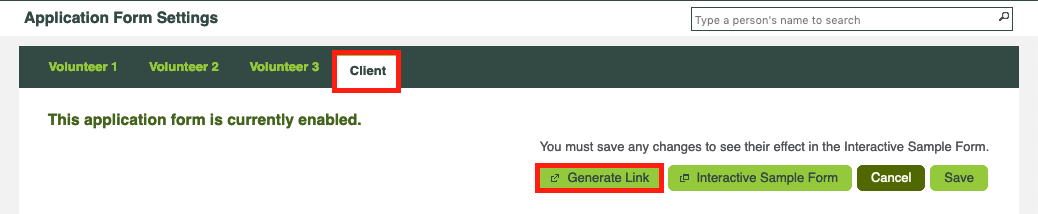
- From the tabs across the top, select the desired application form you wish to view (Client).
- Click the [Generate Link] button.
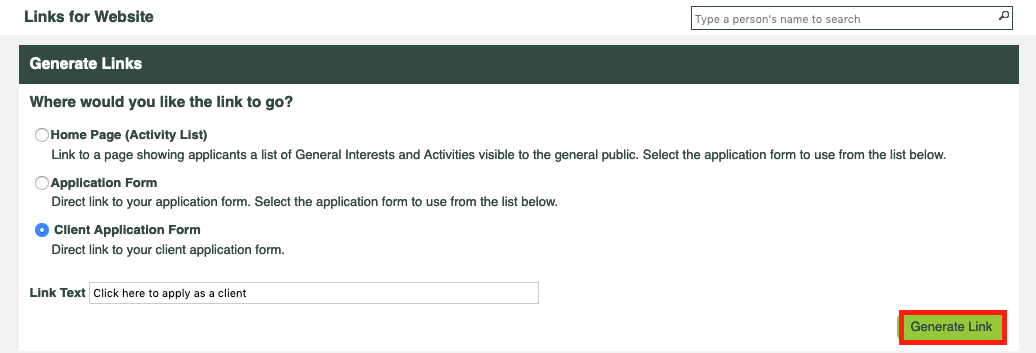
- Select “Client Application Form” under “Where would you like the link to go?”
- Click the [Generate Link] button.
- Copy and paste the short URL into your browser and complete the application form!