


CLICK FOR STEP BY STEP INSTRUCTIONS
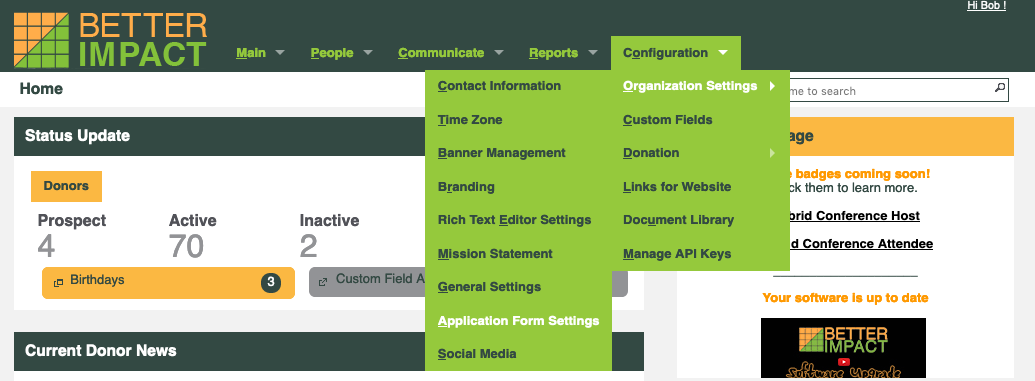
- Go to Configuration >> Organization Settings >> Application form settings
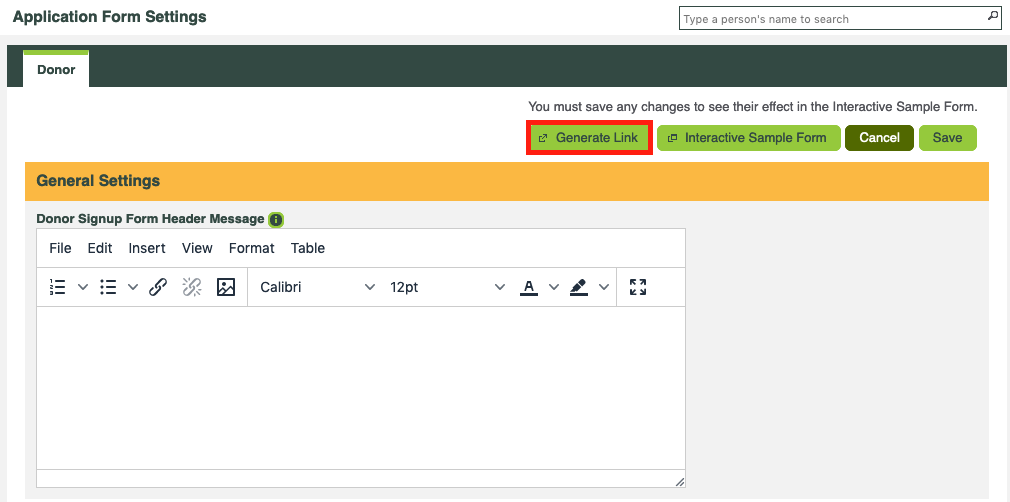
- Click on the [Generate Link] button
- Select “Donor Information Form” under “Where would you like the link to go?” and click [Generate Link]
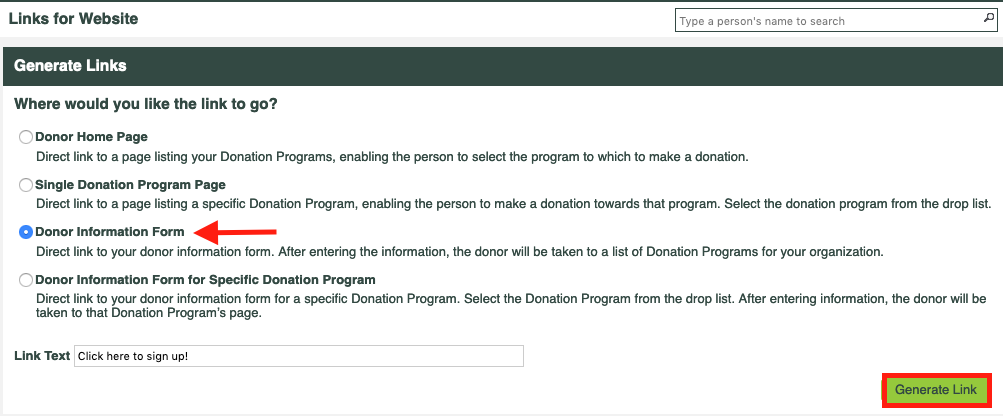
- Copy and paste the applicable URL into your desired location